Modern & Powerful

MarkView - Modern Markdown Viewer for Chrome, Edge & Chromium Browsers

Transform your markdown files into beautifully formatted documents with live preview, syntax highlighting, diagrams, math equations, multi-language support, and powerful navigation features.


Also works on Brave, Opera & Vivaldi • What's New

Free to use • No signup • Privacy-focused

atlas-docs/architecture.md
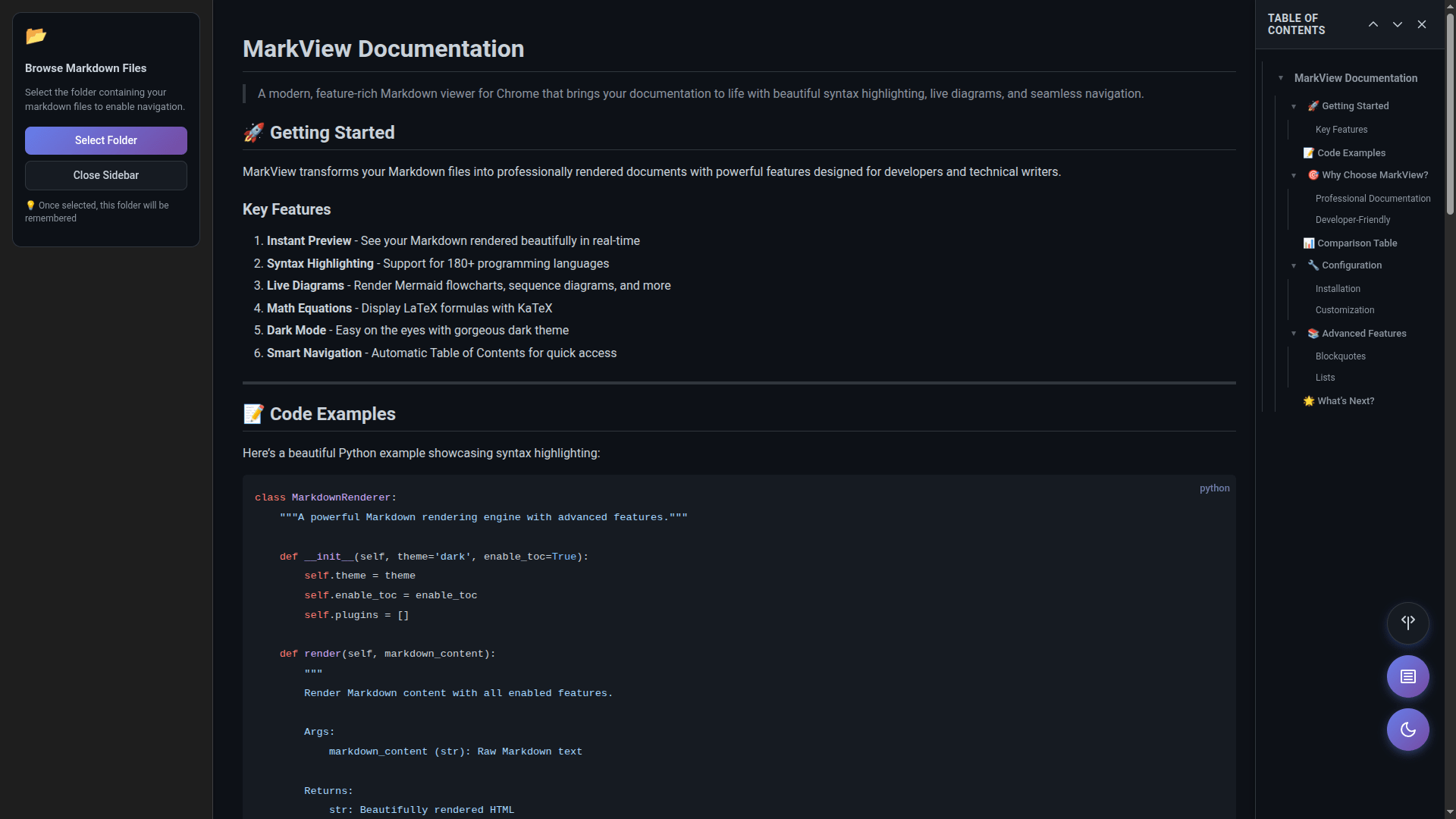
MarkView browser extension rendering a markdown document with a folder browser, a Mermaid sequence diagram and the document outline - works on Chrome, Edge, Brave, Opera

See MarkView in Action

Watch our complete guide to get started with MarkView in just 4 minutes

Works on All Major Browsers

Install once from your browser's official store

The Best Markdown Viewer for Everyone

Perfect for developers, writers, students, and anyone who works with markdown

Instant Rendering

Open any .md file and see it beautifully formatted instantly. No configuration needed, no separate apps to install. MarkView works right in your browser where you already spend your time.

Privacy-First Design

Your markdown files never leave your computer. All rendering happens locally in your browser - no servers, no tracking, no data collection. Your documentation stays private and secure.

Works Everywhere

From local README files to GitHub raw URLs, from GitLab to Bitbucket - MarkView renders markdown from any source. Perfect for reviewing documentation, reading technical specs, or browsing open-source projects.

Feature-Rich & Free to Use

Syntax highlighting for 180+ languages, Mermaid diagrams, KaTeX math equations, auto-refresh, table of contents, and more. Get started instantly with powerful features at no cost.

Everything You Need

Powerful features for developers, writers, and researchers

Syntax Highlighting

180+ programming languages with beautiful GitHub-inspired color themes

Mermaid Diagrams

Flowcharts, sequence diagrams, and Gantt charts rendered beautifully

Math Equations

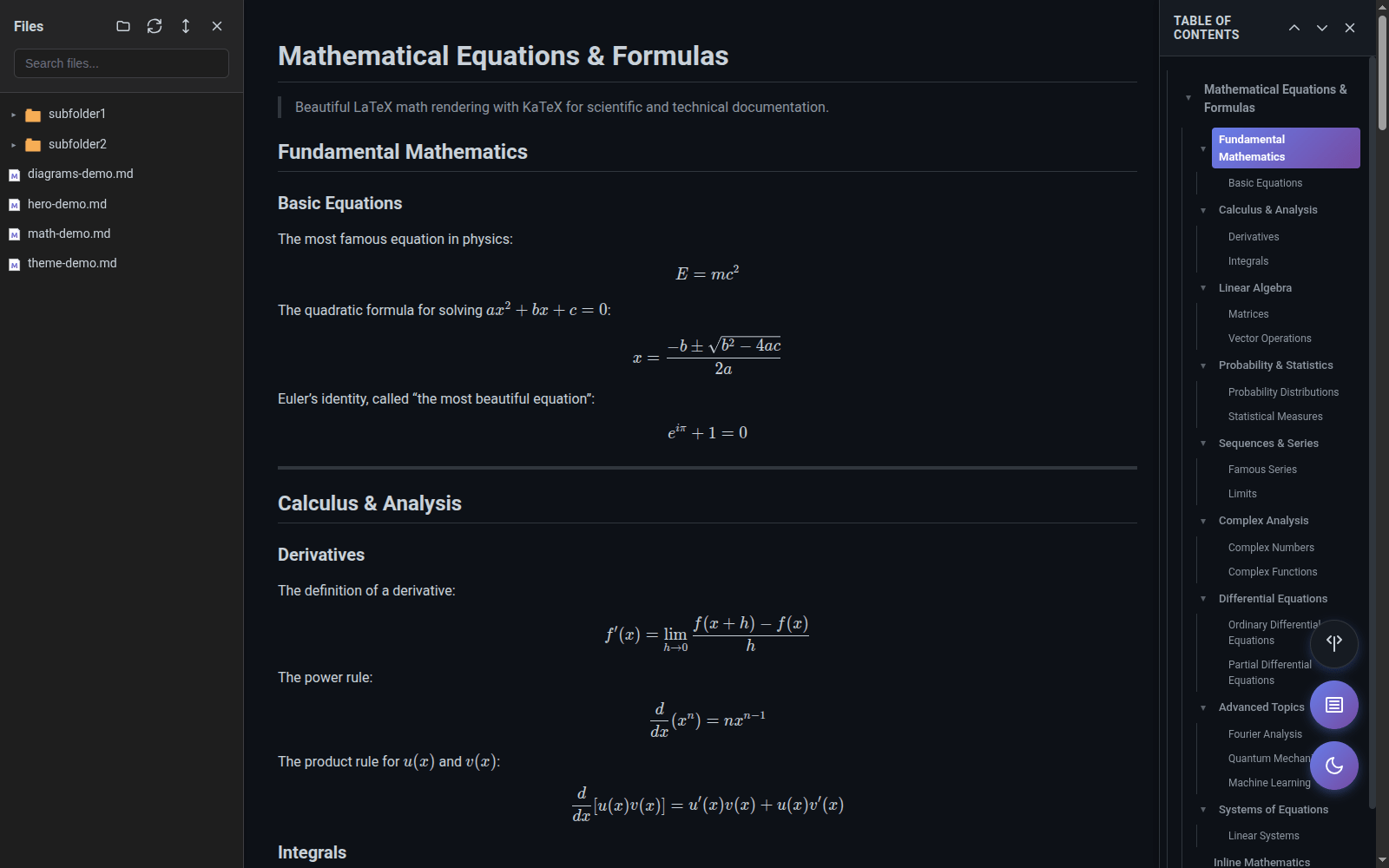
LaTeX math rendering with KaTeX for perfect formulas and equations

Smart TOC

Auto-generated navigation with scroll spy and smooth scrolling

File Browser

Navigate local markdown files with search and filter capabilities

Image Viewer

Full-screen lightbox with gallery navigation and lazy loading

Auto-Refresh

Live preview that updates automatically as you edit your files

Multi-Language

15 languages supported with auto-detection or manual selection

Highly Customizable

Dark mode, 9 fonts, adjustable sizes, line heights, and layout preferences

See It In Action

Beautiful rendering for all your markdown content

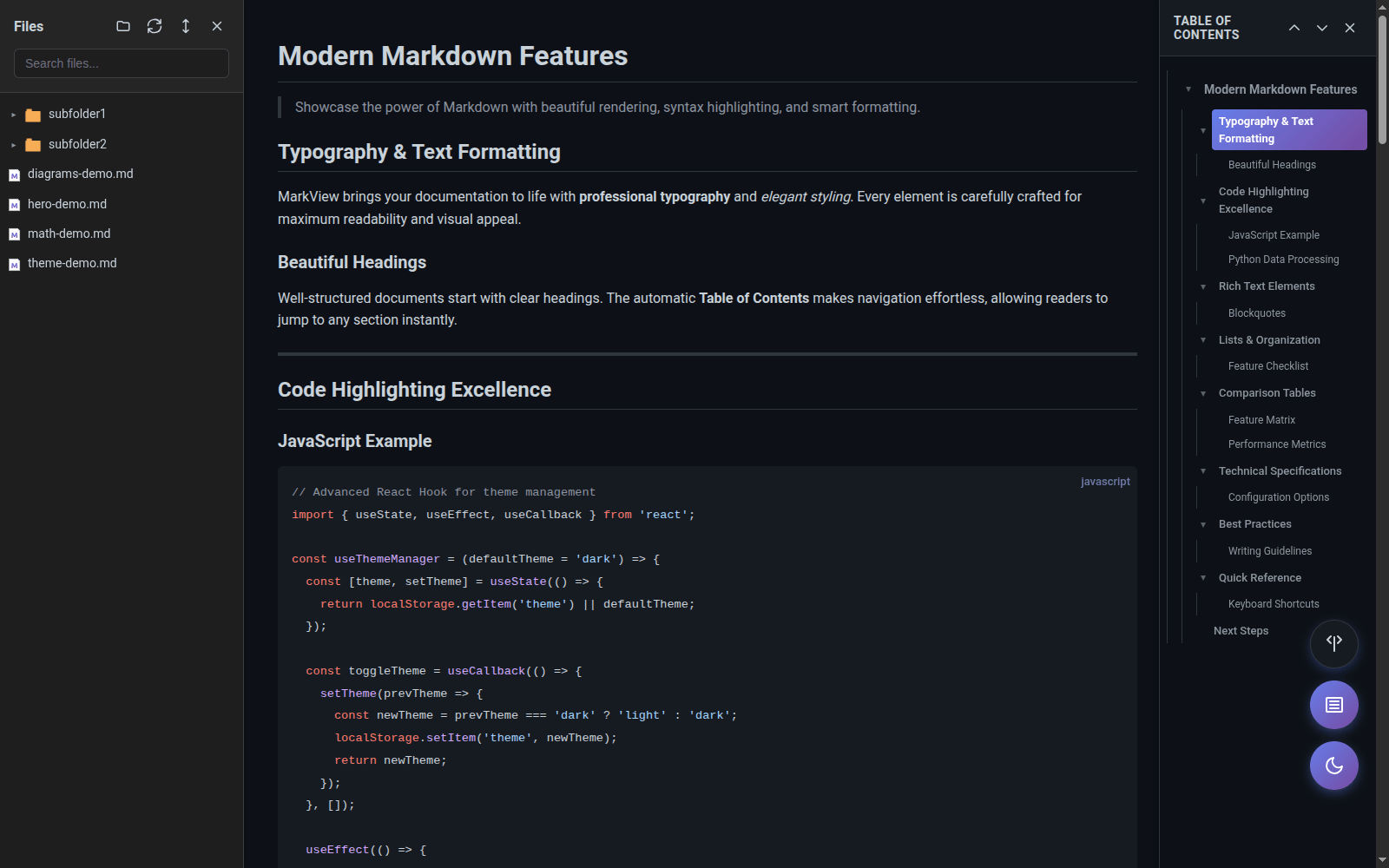
Markdown viewer dark theme rendering a release review with lists, a flowchart and the document outline

Dark mode for the whole viewer: document, diagrams, sidebar and outline

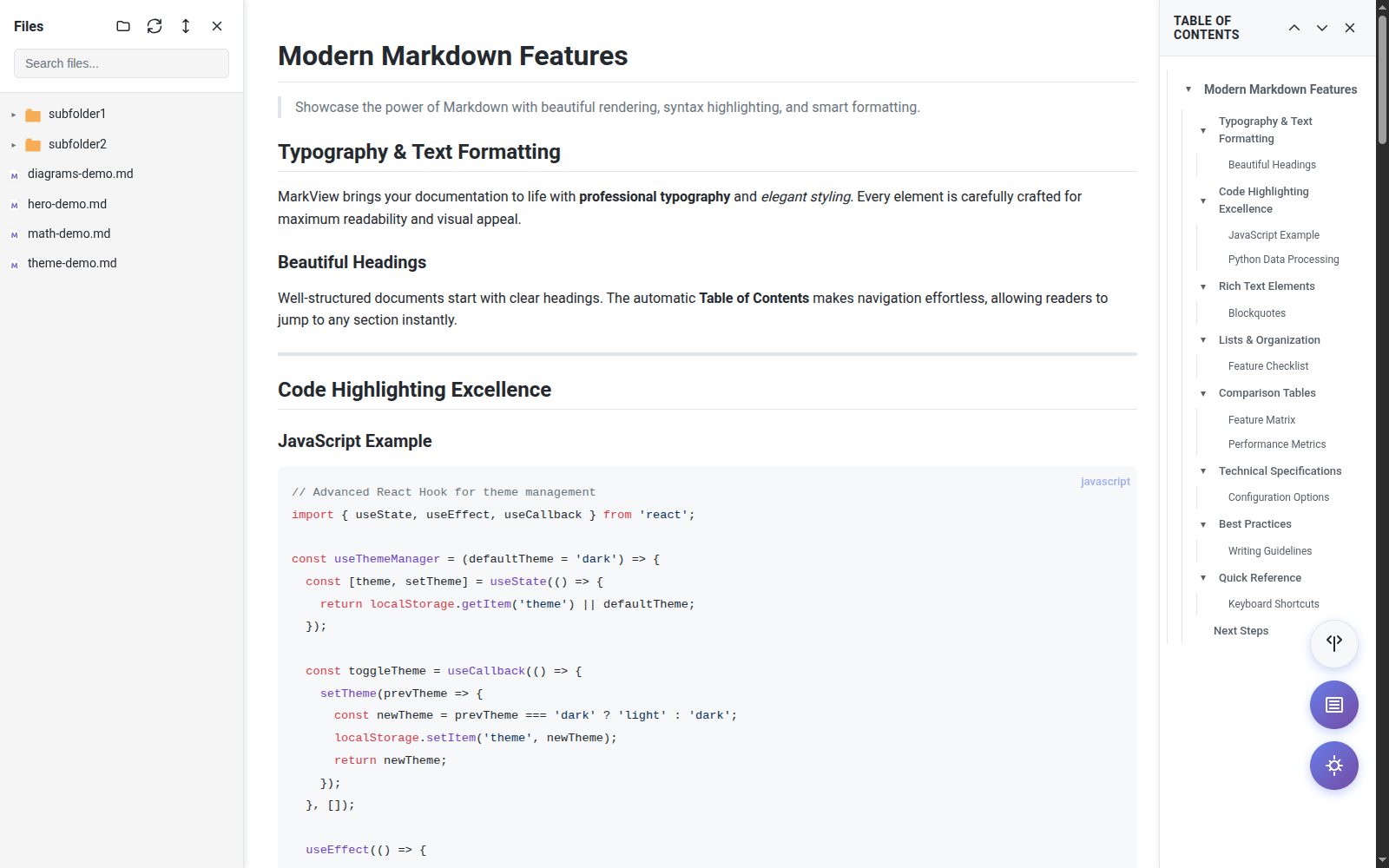
Markdown viewer light theme rendering a release review with lists, a flowchart and bold highlights

Clean light theme with high contrast for daylight reading

Mermaid state diagram of an order lifecycle rendered in MarkView

Flowcharts, sequence and state diagrams from plain text

LaTeX math equations rendered with KaTeX in MarkView, next to highlighted TypeScript code

LaTeX equations rendered with KaTeX, inline and as display blocks

Get Started in Seconds

1

Install Extension

Add MarkView from your browser's official store

2

Enable File Access

Grant permission for local markdown files (optional)

Chrome: chrome://extensions → Details → Allow access to file URLs Edge: edge://extensions → Details → Allow access to file URLs
3

Open Markdown

Open any .md file and enjoy beautiful formatting

Ctrl + Shift + D Toggle theme
Ctrl + Shift + L Toggle TOC
Ctrl + Shift + B Toggle Browser

Documentation & Support

Ready to Transform Your Markdown?

Join thousands of users who love reading markdown with MarkView

Free to use • No signup • Privacy-focused